Can Coupang Open API Upload Product Catalogs?
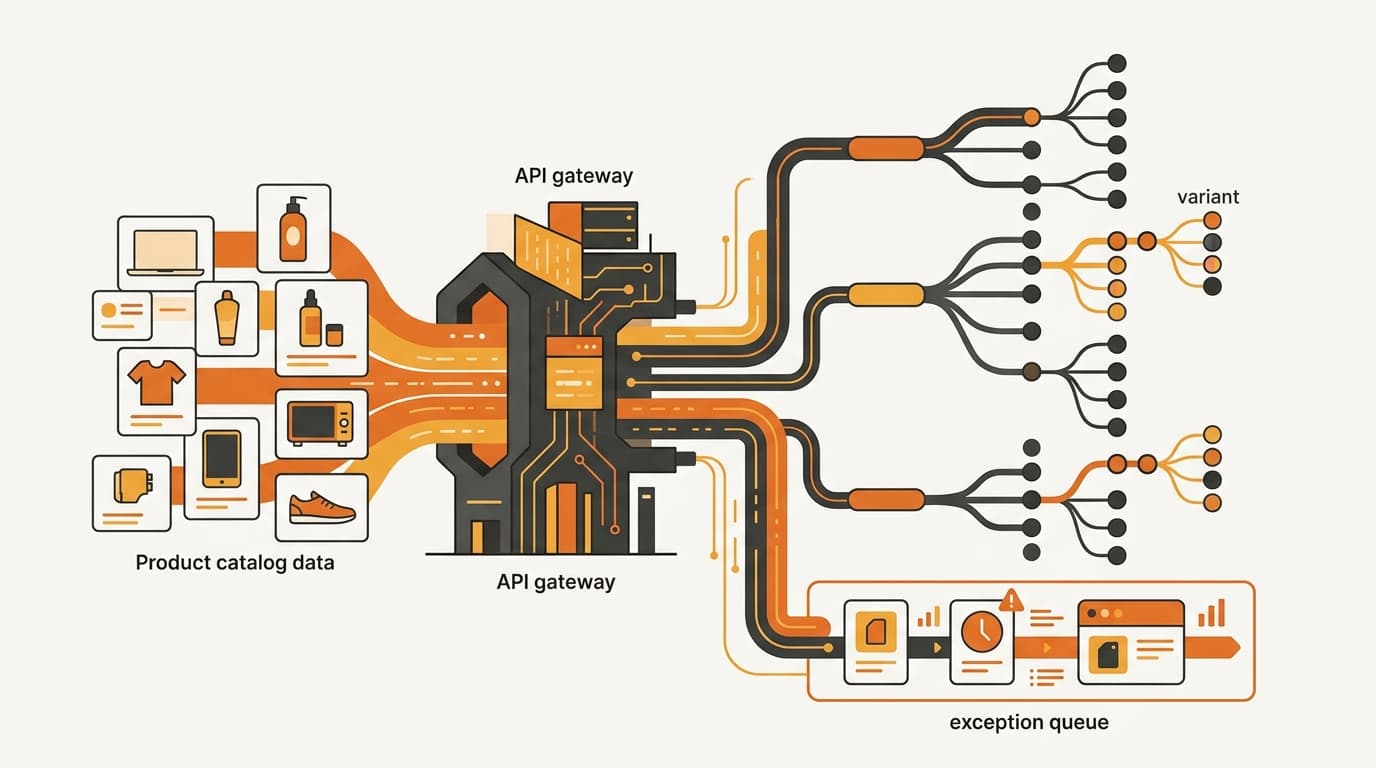
Coupang's Open API can create structured product listings from a catalog, but it is not a universal catalog importer. A reliable integration first normalizes each SKU and variant against Coupang's category metadata, submits valid purchase options, and routes rejected or document-dependent records to a review queue.
The short answer: the API automates product creation after the mapping work is done. It does not read a Western PIM or ERP schema, choose the correct Coupang category, invent permitted values, or decide which compliance documents a product needs.
What Coupang Open API product creation actually automates
Think of the Open API as a schema-constrained submission layer. Once a source record has been transformed into fields and values that Coupang accepts, software can perform the repetitive work of building payloads, generating purchase options, submitting records, and capturing the result.
That is different from importing a catalog in the broad PIM sense. A global catalog normally contains a parent product, variants, descriptions, media, identifiers, and attributes designed to work across several markets. Coupang's registration structure adds category-specific requirements and permitted values. The API can carry the result of that transformation; it does not make the transformation decision for you.
| Workflow stage | What an integration can automate | What still needs a decision |
|---|---|---|
| Category preparation | Retrieve metadata for a selected Coupang category | Whether that category is the right representation of the product |
| Payload construction | Map normalized fields and generate structured product data | Whether a global attribute actually matches the category field |
| Purchase-option creation | Generate options from mapped variant data | Which attributes should define a valid, buyable option |
| Submission and correction | Send the record, capture the problematic line, and prepare a retry | Whether the correction is accurate and whether a document exception needs human review |
This distinction matters for a Western brand because a connector can look impressive while doing only the transport step. Copying titles, prices, and SKU codes into an API request is not the same as creating a complete product-onboarding workflow. If the category is wrong, a mandatory option is absent, or a permitted value is represented with the wrong data type, the automation simply produces a faster failure.
Use Coupang's official Open API developer documentation as the technical source of truth. Its category metadata lookup, product-registration guidance, and result or error behavior should determine how the integration is built. A third-party connector's field list can become stale; it should not override the current Coupang documentation.
This article covers product creation; price and stock use separate API workflows, as explained in Why Coupang Needs Separate API Calls for Price and Stock.

Why category mapping comes before product registration
Category mapping is the first implementation artifact, not cleanup after the first rejected batch. Coupang's required fields and permitted values vary by category, while a global PIM usually relies on broad attributes that are meant to be reusable everywhere.
The category metadata lookup should therefore happen before the integration generates a product payload. The lookup identifies the structure the chosen category expects, including:
- mandatory exposed purchase options;
- grouped attributes where one choice is required;
- applicable data types; and
- usable units or values.
Those details define how the source catalog must be transformed. A global field named size does not tell an integration whether the Coupang field expects a particular type, unit, or constrained value. A parent product with several variants does not tell the integration which mapped attributes need to become purchase options. The names may look familiar while the data contract is different.
A practical mapping sequence is:
- Select a candidate Coupang category. Do not let a generic fallback category become the permanent answer simply because it is easy to submit.
- Retrieve that category's metadata. Record the required options, grouped attributes, types, units, and permitted values that apply to the chosen structure.
- Map the global schema. Define the source field, the Coupang field, any transformation, and the rule for missing or invalid data.
- Generate purchase options. Convert the brand's variant model into the option structure that the category requires, rather than sending the global variant object unchanged.
- Validate before submission. Catch missing mandatory fields, invalid types, unavailable values, and malformed option combinations in the integration's own review layer.
The mapping should be category-specific. One universal field map is attractive from an engineering standpoint but fragile in operation. If two categories expose different option structures, the same source attribute may need a different transformation in each one. Treating every category as if it shared one schema is how a catalog produces inconsistent variants and repeated manual cleanup.
Keep the category map inspectable. A reviewer should see the source-to-Coupang field assignment and applied transformation. The map should also show what happens when the source value is blank. That record is as important as the API request itself: it lets the team correct the model instead of patching individual listings one by one.
A Korean-language title or polished image set does not solve a category mismatch. Localization can make a listing readable, but it cannot substitute for a valid category structure or a required purchase option. The Open API should receive a listing that is already coherent as both data and a customer-selectable product.
How to preserve SKU and variant identity
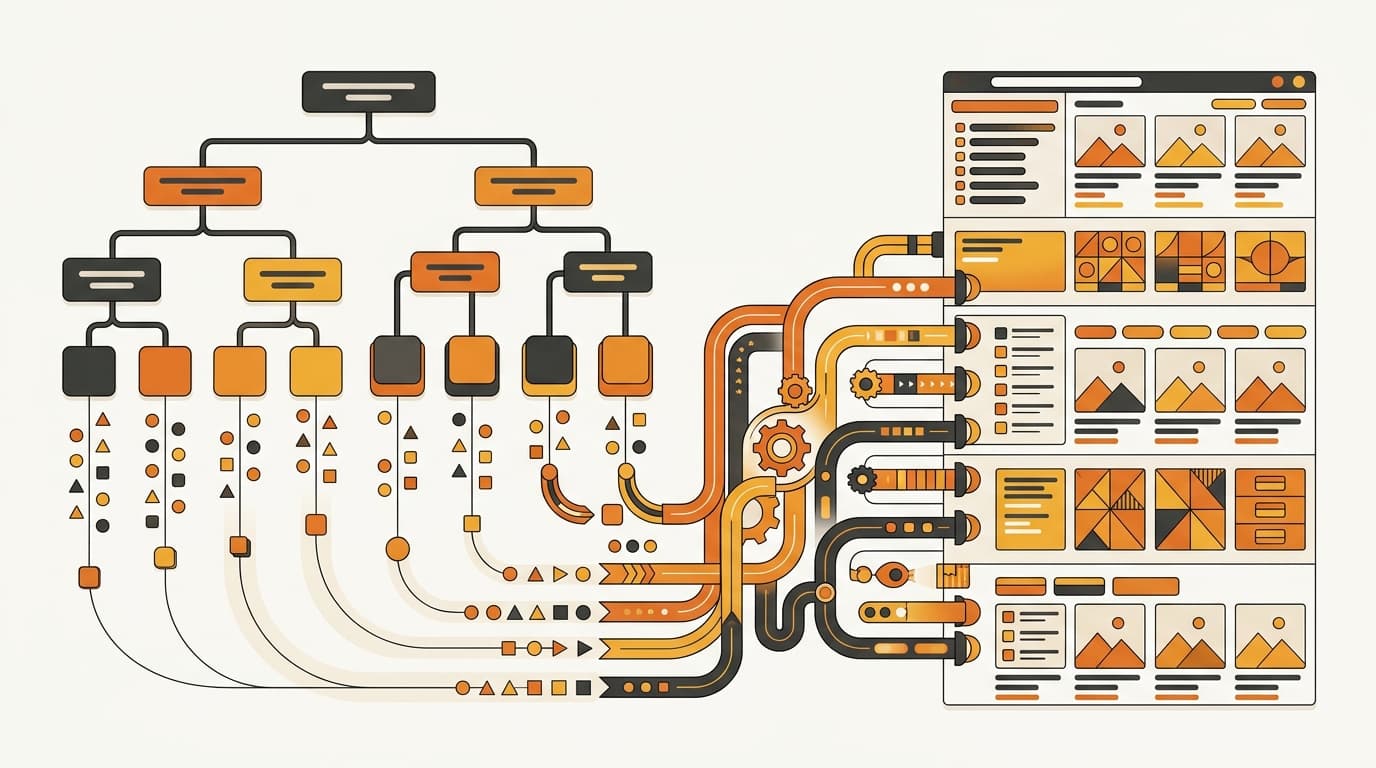
Category mapping answers what a field means. Identity mapping answers which source SKU was created, rejected, corrected, or later reconciled on Coupang.
Create a durable crosswalk between the brand's global product or variant ID and Coupang's seller product code. The crosswalk should operate at the sellable-variant level wherever the catalog has selectable options. A parent product alone is not enough if several purchase options can be bought separately.
Coupang documents externalVendorSku for the external SKU relationship. Use a stable global SKU or variant identifier there rather than generating a new value from a title, price, or current option text. Titles and merchandising fields can change; the identity used for reconciliation should not change merely because the listing was localized or corrected.
Coupang's extraProperties can hold additional internal references, but those values are not storefront-facing fields. They can supplement the crosswalk—for example, with an internal product-system reference—but they should not be treated as customer-visible content or as a substitute for a controlled reconciliation record.
At minimum, your internal record should connect:
- the global product ID;
- the global variant or SKU ID;
- the Coupang seller product code;
- the
externalVendorSkuvalue; - the category mapping used to construct the payload; and
- the submission, rejection, correction, and document-review state.
Keeping these relationships outside the payload gives the operations team a reliable answer to a basic question: which source record does this Coupang listing represent? It also prevents a common retry problem: sending a corrected payload as a new product. Without the crosswalk, the integration cannot tell whether the original record already exists.
If more than one internal system will connect to the same seller account, settle that architecture before enabling automation. Coupang Open API: Can Two Systems Share One Seller ID? explains why connector ownership and seller-ID routing need to be explicit rather than left to two competing integrations.
How to handle rejections and required documents
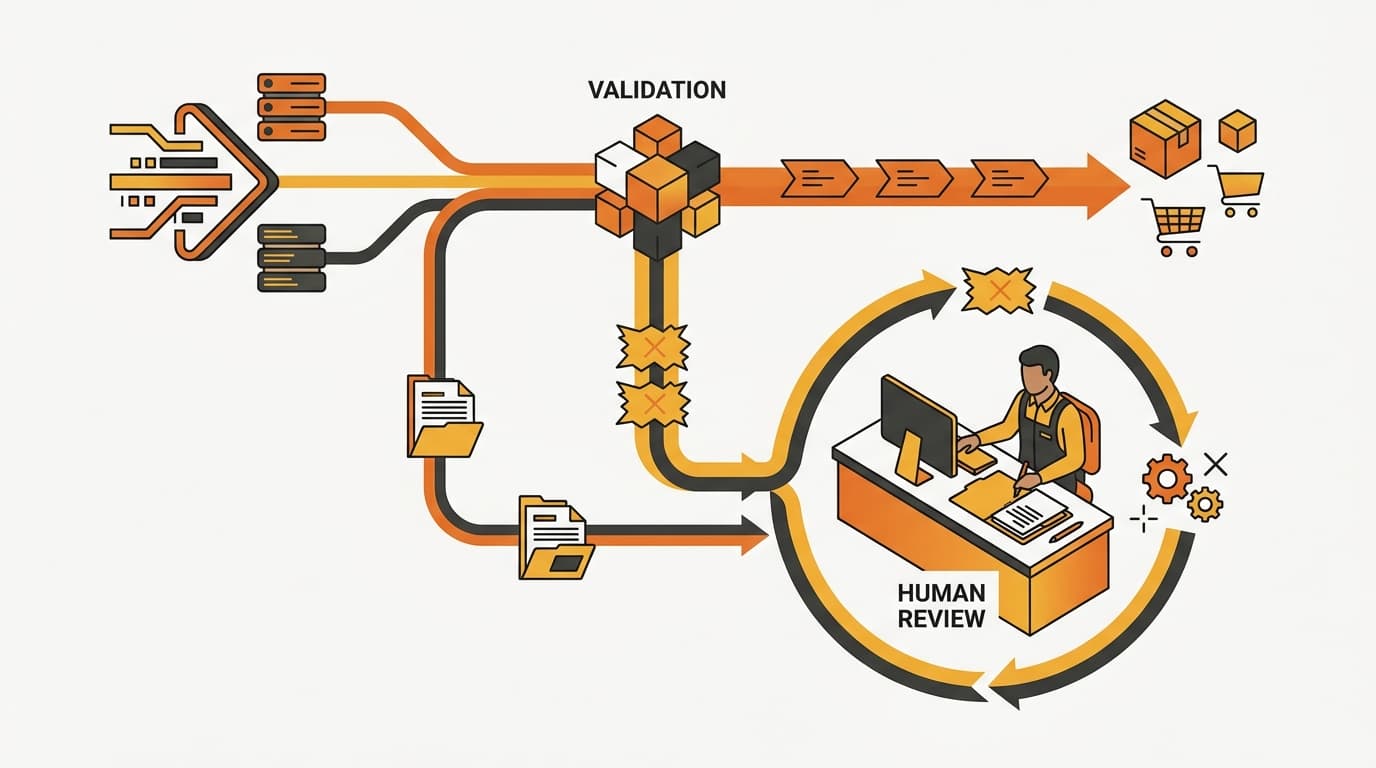
An API submission is not the same thing as a completed listing. Coupang's product-registration guidance indicates that an invalid submission identifies the problematic line. Your integration should use that detail to route a precise correction, not turn the entire catalog into an opaque failed batch.
A workable exception queue should:
- preserve the original source payload;
- preserve the transformed payload that was actually submitted;
- connect the response to the exact product, variant, and field;
- show the returned reason in a form a reviewer can act on;
- allow the corrected value or mapping to be recorded;
- retry the corrected record without losing the prior attempt; and
- retain the history for reconciliation and audit.
This design separates a data error from a decision error. A wrong data type may be fixed in the category transformation. A missing mandatory option may require a mapping decision. A document-dependent product may need a person to verify eligibility and collect evidence. Automatic retry is appropriate for a corrected, understood failure—not for every rejected payload.
Parallel-import products illustrate the boundary clearly. For a parallel-import product, include the parallel-import designation and import-declaration document in requiredDocuments. An API connector can transmit that information, but it cannot remove the underlying eligibility, import, or documentation work. The presence of a document field is not approval of the document.
For that reason, document handling needs its own state in the workflow. “Document needed,” “document received,” “under review,” and “ready to submit” should not be collapsed into “API complete.” Verify any separate Korean import or safety requirement with the responsible authority. Depending on the product, that may be the Korea Customs Service, Ministry of Food and Drug Safety (MFDS), Korea Agency for Technology and Standards (KATS), or the relevant statute on law.go.kr. Coupang's developer documentation explains the data shape; it is not a replacement for the authority responsible for the product rule.
A valid API payload proves only that the request passed the registration checks applied at that stage. It does not establish import eligibility, replace a required document, or guarantee that the physical product will clear a later review.
Build versus buy: five tests for a real integration
The wrong build-versus-buy question is “Can this tool connect to Coupang?” A connector can pass a demo with one clean payload while still lacking category-metadata refresh, option validation, and exception routing. The useful question is whether it handles the work between a global catalog and a maintainable Korean listing operation.
Assess the integration against these tests:
- Category metadata refresh. Can it retrieve and apply category-specific requirements, including mandatory exposed purchase options, grouped attributes, data types, units, and usable values? Can the team update a map when the category structure changes, or is the logic buried in a fixed template?
- Variant and option generation. Can it transform parent and variant records into valid purchase options for each category? Does it stop a record with a missing mandatory option before submission instead of relying on Coupang to reject it?
- Identity and traceability. Does it preserve the global SKU, use
externalVendorSkuconsistently, connect the record to Coupang's seller product code, and retain both the source and transformed payloads? - Rejection and document handling. Does it expose the failed line and field, route the record to an error queue, support correction and retry, and distinguish
requiredDocumentscases from ordinary data errors? - Operational boundaries. Does it clearly separate product creation from later price and stock workflows, and does it prevent multiple systems from competing for the same seller-ID connection?
A tool that only copies titles, prices, or SKU codes is not a complete product-onboarding integration. It may still be useful as a transport component, but the missing mapping and exception layers have to exist somewhere else. If they exist in spreadsheets and ad hoc messages, the apparent automation is mostly moving manual work out of sight.
Roll out in stages rather than sending the full catalog on the first attempt:
- Select representative categories from the real assortment, including meaningful variant structures and any document-dependent categories that matter to the business.
- Retrieve the category metadata and build an explicit source-to-Coupang mapping for those categories.
- Submit a controlled set of representative records and inspect both successful results and rejected lines.
- Fix the mapping rules, option generation, and review states before expanding the automated scope.
- Automate stable categories while keeping new categories, rejected records, and document-dependent listings under human review.
The right readiness test is not the number of rows sent. Each listing should trace to a source SKU, and each failure should have a clear next action. Reviewers should be able to correct an exception without asking an engineer to reconstruct the payload.
Common questions about Coupang catalog automation
Can I send a global PIM export and let Coupang choose the category?
No. The integration needs a chosen Coupang category and its metadata before it can build a reliable product payload. The Open API is not a universal importer that interprets a global taxonomy for you.
Can the API create product variants?
Yes, it can automate repeatable purchase-option generation after the variants have been mapped to the category structure. It will not safely decide which global attributes are valid options or satisfy a grouped attribute requirement without that mapping.
Where should I store my brand’s SKU crosswalk?
Use a stable global product or variant identifier and map it to Coupang's seller product code. Coupang documents externalVendorSku for the external SKU relationship; extraProperties can add internal references but should not be treated as storefront content or the only reconciliation record.
Does a successful API submission prove that the product is ready to sell?
No. It indicates that the request passed the registration checks applied at that point. Import eligibility, required documents, category-specific compliance, and later physical inbound checks can remain open. Coupang Inbound Verification: Label & Cert Review covers that separate checkpoint.
What should happen when one line in a bulk submission fails?
Keep the original and transformed payloads, identify the exact failed field, route the record to a review queue, and retry after a recorded correction. Do not mark the whole catalog complete simply because the request was sent.
Should I automate every category at once?
No. Map and test representative categories first, automate the categories whose mappings are stable, and keep new, rejected, or document-dependent records under human review until the workflow is proven.
Review your Coupang catalog workflow
If you need a second set of eyes on category mapping, SKU crosswalks, or document exceptions, contact Kontactic to discuss the workflow.
About the author
Korean and global e-commerce operators with 15+ years of cross-border experience, led by CEO Isaac Lee — KOTRA-certified consultant and official lecturer for Seoul City and the Korea Customs Service. We run Korea market entry for overseas brands every day; this blog records what we learn in the field.
More about Kontactic →Related Articles

Agentic Commerce: When AI Picks the Product, What Should Brands Selling in Korea Do?
AI shopping agents now search, compare, and sometimes buy for the shopper, and they recommend 1–5 products instead of a page of results. What Korea's Chamber of Commerce found in the US and Europe, and what it means for your product data in Korea.
Korea E-commerce, September 2026: The Market Shrank, Coupang Grew
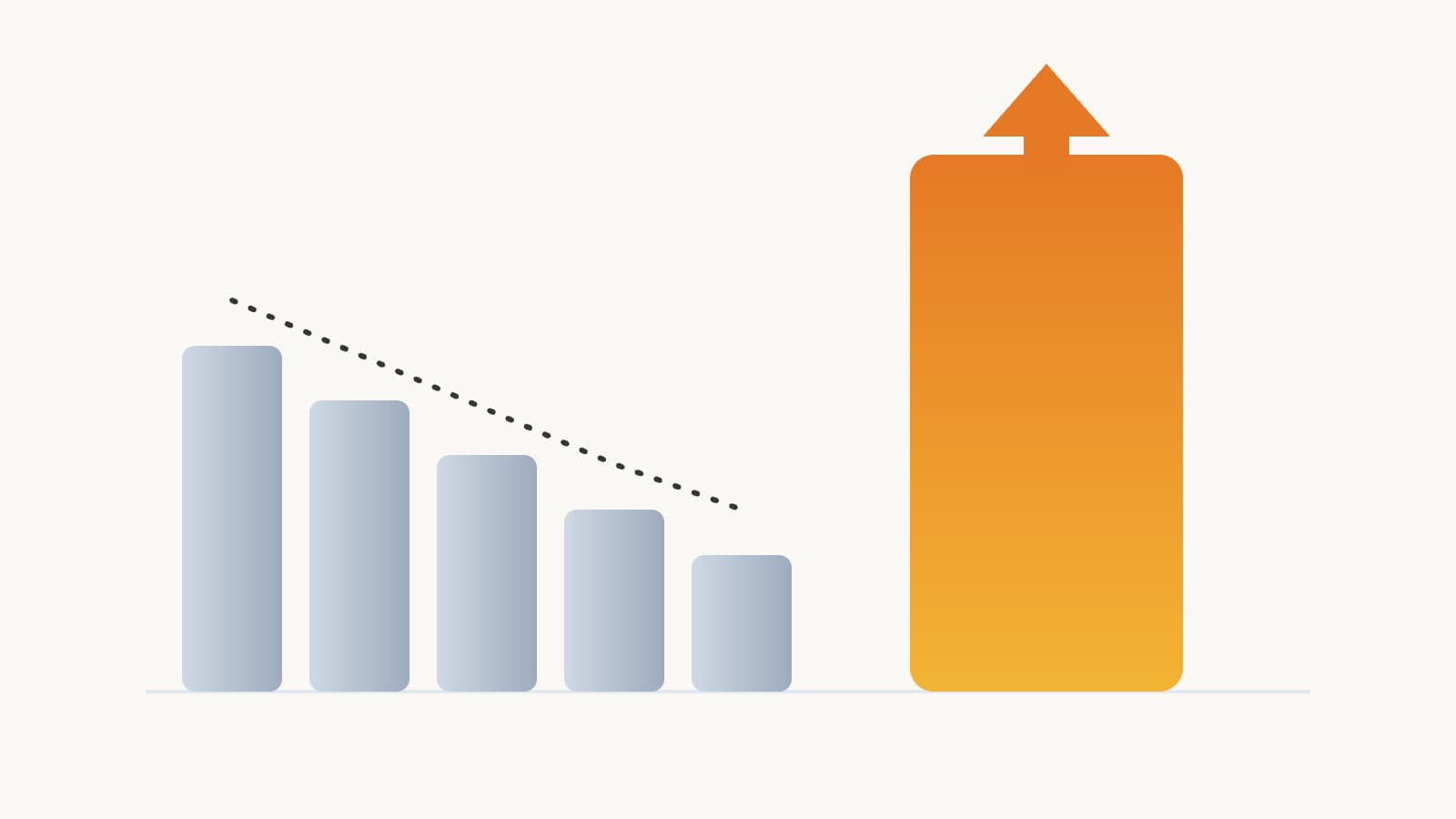
Korean online shopping spend fell 2.1% in September 2026, yet Coupang grew 3.9% and reached a 72.7% share of the 12 largest platforms. What the data means for a foreign brand choosing where to sell.

Natural Room Spray: Does Korea Require Safety Filing?
Natural room spray still needs Korea’s safety filing: Korea checks its use, claims, formula, spray method, and labels before commercial import for sale.