
Why Coupang Needs Separate API Calls for Price and Stock
On Coupang's Open API, you cannot change a live listing's price or stock through the same product call that created it. Once a listing is approved, price and inventory each move through their own dedicated, item-level endpoints — the product-edit path silently ignores those fields by design. If you are scoping a Coupang integration expecting one "update product" feed to keep everything in sync, that assumption is where most builds break.
This is not an obscure edge case. It is the single most common source of "my update didn't take" confusion for teams new to Coupang, and it decides how much real integration work a live catalog actually requires. Below is a map of why the split exists and what it means for your build vs. buy decision.
The listing moves through states, and each state allows different changes
A Coupang listing is not a static record you push updates to. It moves through a lifecycle, and what the API lets you change depends on which state the listing is currently in.
Broadly, a listing starts in a temporary-save state — a draft you can freely edit. From there you submit it for approval, and Coupang reviews it. Only after approval does the listing become a live, sellable item. The important consequence for tooling: some operations are only valid in specific states. Requesting approval, for example, is only possible from a saved-but-not-yet-submitted draft — you cannot re-request approval on something already approved, and you cannot treat an approved listing as if it were still an open draft.
Listing lifecycle on Coupang means a product passes through distinct states — temporary save, approval requested, approved — and the API permits different operations in each. A call that is valid on a draft may be rejected or silently ineffective on an approved listing.
This is why "does my update work?" has no single answer on Coupang. It depends on the state of the listing when you make the call. A connector that ignores state will work fine during creation and then quietly stop applying changes the moment listings go live.

After approval, the product-edit call will not apply price or stock
Here is the specific trap. The call you used to create and shape a listing — the product-edit path that carries the title, images, specs, and options — does not update price or inventory on an approved listing. Sending those fields through that path does not throw a loud error that stops your pipeline. It just doesn't apply the change.
This is by design, not a bug. Coupang separates the "what the product is" concern from the "how it sells right now" concern. Descriptive attributes travel with the product record; commercial attributes — price and sellable quantity — are treated as live operational levers that move through their own controlled endpoints. From Coupang's side this keeps pricing and stock changes fast, auditable, and independent of catalog re-approval. From your side it means the naive mental model of "edit the product to change anything about it" is wrong for exactly the two fields you change most often.
If your team has ever seen a Korean price sit stale on Coupang while your source-of-truth system shows the new number, this split is almost always the reason. The update was routed to the wrong call, and the wrong call accepted the request without applying the field.
Price and stock each have their own dedicated item-level calls
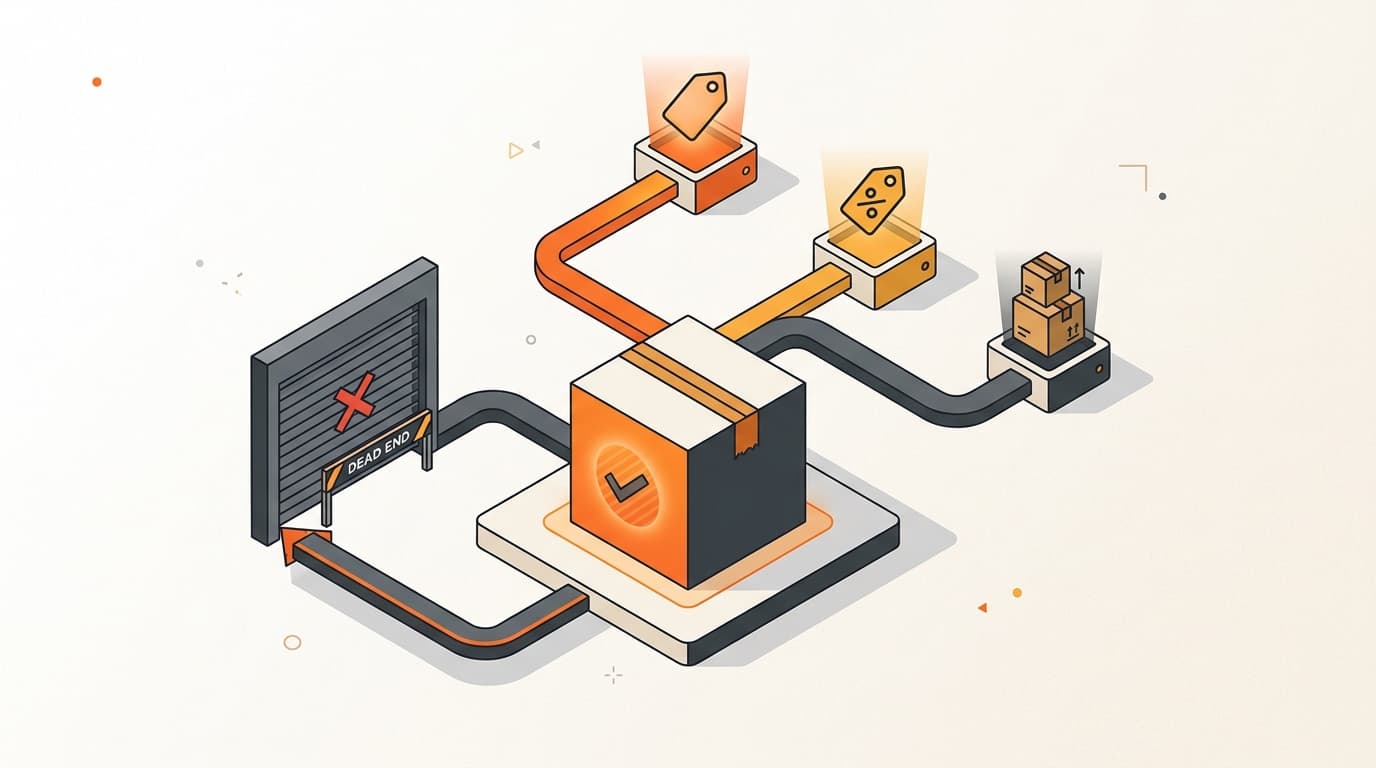
To change what the product-edit path won't touch, your sync logic has to route each type of change to its correct dedicated endpoint. In practice there are three separate concerns you must handle:
- Original / discount-basis price — the reference price a discount is calculated against. This has its own call.
- Sale price — the actual price the customer pays. This is a separate call from the original price.
- Sellable quantity (inventory) — how many units Coupang shows as available. This is its own call again.
The practical implication is that a single business event on your side often fans out into multiple Coupang calls. "Put this SKU on promotion" may mean updating the discount-basis price and the sale price — two distinct requests. "We just received a restock" means an inventory call, which is unrelated to either price call. Your integration cannot assume one payload covers all of it; it has to decompose each change and send it to the right place.
“The naive mental model of 'edit the product to change anything about it' is exactly wrong for the two fields you change most often — price and stock.”
Kontactic — Commerce Operations
This is also why worrying about which entity controls the underlying goods matters before you automate anything. Under Rocket Growth, you own the inventory while Coupang stores and delivers it, so the quantity your API pushes has to reconcile against what is physically at the warehouse, not just what your ERP believes.
Updates happen at the option level — and that ID only exists after approval
There is one more structural fact that trips up integrations built for other marketplaces: routine updates on Coupang key off an option-level identifier, not the parent product.
A single product listing can carry several options (sizes, colors, bundle counts). Price and stock are properties of each option, not of the listing as a whole. So the dedicated price and inventory calls operate against an option-level item ID — and here is the catch — that ID is generated by Coupang and only exists after the listing is approved. You do not know it at creation time.
That means a correct build has to do something a simple feed pusher never does. After approval, you must read and store Coupang's generated option IDs. Every routine price or stock update afterward is addressed to those IDs. Skip this step and you have no valid address to send updates to — which is another way listings that were created successfully still never receive their updates. If you are already pulling operational data from Coupang, this fits into the broader picture of what the Open API actually exposes to you at the order and inventory level.
What a realistic build actually requires
If you are building the integration in-house, the honest scope is larger than "one product feed." A connector that keeps a live Coupang catalog accurate needs, at minimum:
- A listing-creation flow that handles the draft → approval-request → approved lifecycle, not just a single push.
- An approval-status watcher that detects when a listing goes live, because that transition unlocks the option IDs and the price/stock endpoints.
- Per-attribute update routing that sends price, sale price, inventory, and shipping changes each to its correct dedicated call — never all through the product-edit path.
- Storage of Coupang-generated option IDs, captured after approval, so routine updates have a valid target.
None of these is exotic on its own. The mistake is discovering them one at a time in production, after the "simple" feed integration already went live and started silently dropping updates.

What a buy decision has to validate
If you are buying an off-the-shelf multichannel connector instead, the risk is that it was designed around marketplaces where one update path does everything. Many such tools assume a single "update product" call and quietly mis-sync Coupang the moment listings go live.
Before you rely on any tool for Coupang, validate three things specifically:
- It updates post-approval price and stock through separate item-level operations, not through the product-edit call.
- It captures and stores Coupang's option-level IDs after approval and addresses updates to them.
- It is state-aware — it knows the difference between a draft and an approved listing and does not treat them the same.
If a vendor cannot answer these clearly, assume the tool will create listings fine and then let your Korean prices and stock drift out of sync — which is worse than no automation, because the failure is silent.
Common questions
Why doesn't Coupang just let me update everything through the product call? Because Coupang separates descriptive attributes (what the product is) from commercial ones (price and stock). Keeping price and inventory on their own endpoints lets them change quickly without re-triggering catalog approval. It is a deliberate design choice, not a limitation.
Will I get an error if I send price through the wrong call? Usually not a loud one. The request is accepted but the price or stock field is not applied — which is exactly why this is so confusing. The absence of an error makes teams assume the update worked.
Do I need the option IDs before I can update anything? For routine price and stock updates, yes. Those calls operate at the option/item level, and the option ID is generated by Coupang after approval. Your tooling must read it back and store it first.
Where do I confirm the exact endpoints and field names? This article is a plain-English map only. The exact endpoint syntax, field names, and request formats live in Coupang's official developer documentation and change over time — always verify against the current source before you build.
Scoping a Coupang integration for your brand?
Talk to Kontactic about how a live Korean catalog stays in sync — from listing approval to per-item price and stock. We run the operations end to end so your updates actually apply.
About the author
Korean and global e-commerce operators with 15+ years of cross-border experience, led by CEO Isaac Lee — KOTRA-certified consultant and official lecturer for Seoul City and the Korea Customs Service. We run Korea market entry for overseas brands every day; this blog records what we learn in the field.
Meet the Kontactic team →Related Articles

Can a Korean Coupang Page Replace a Cosmetic Label?
A Korean Coupang page can explain an English-only cosmetic, but it cannot replace required Korean details on the bottle, tube, jar, or box before sale in Korea.
Imported Food Labels in Korea: Can Stickers Work?
Imported food labels in Korea can use a Korean sticker on the consumer unit before sale, but only when current MFDS rules allow it for that product and package.

Can USB-Powered Products Avoid Korea’s KC Safety Rules?
USB power does not automatically avoid Korea’s KC rules. Learn how KATS safety review, RRA EMC checks, and customs timing affect your shipment before import.