
Coupang Open API: Can Two Systems Share One Seller ID?
No—not as two separately registered Coupang Open API integrations for the same seller ID or vendor code. Coupang’s official key-management guidance allows one Open API key for that account scope. It does not allow multiple providers—or an external provider and a self-developed integration—to be registered simultaneously.
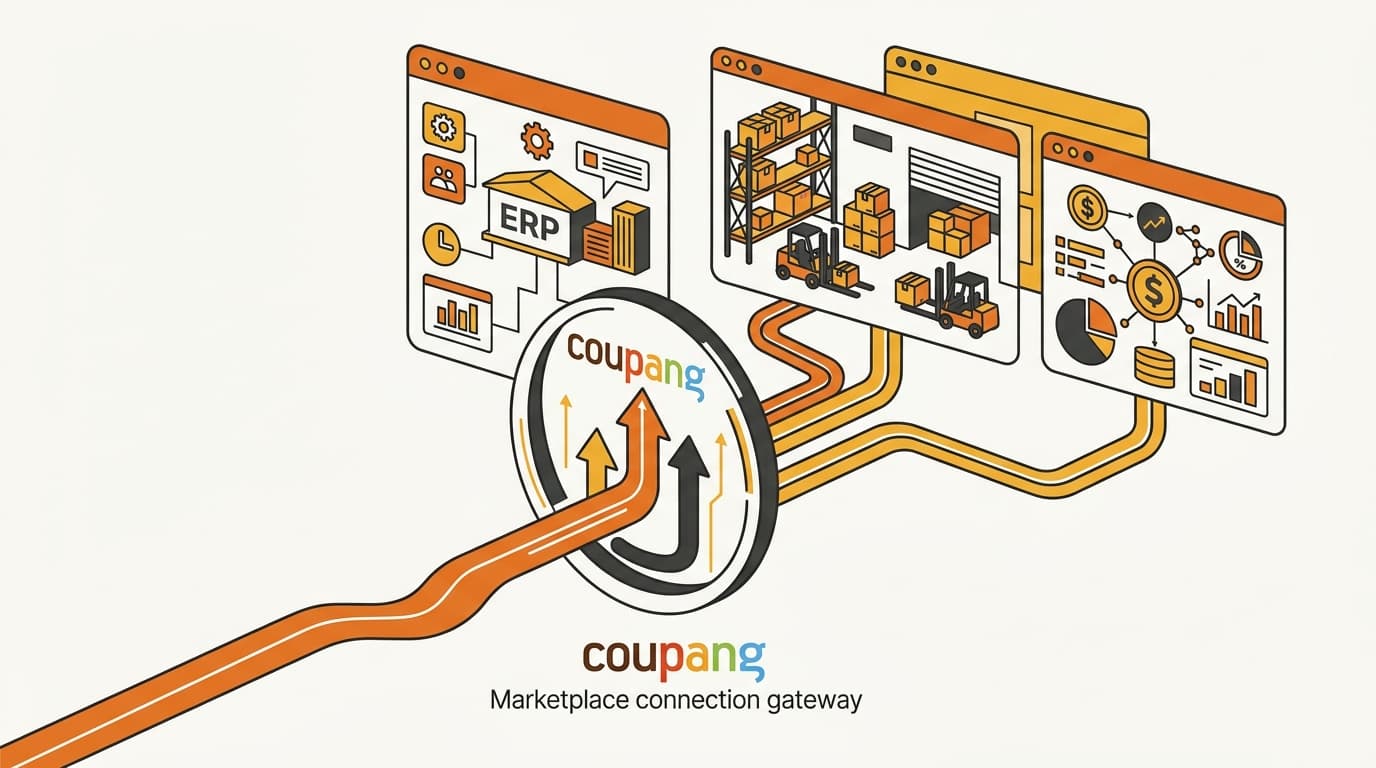
The workable architecture is one Coupang-facing connector that routes product, order, inventory, and settlement data to your ERP, warehouse platform, finance system, and other internal tools.
The practical rule: one direct Coupang connection per seller ID or vendor code; multiple downstream internal handoffs are still possible when the chosen connector and your systems support them.
The rule is per seller ID or vendor code
The restriction is account-specific, not brand-wide. If a business has several seller IDs or vendor codes, map the integration decision separately for each one; a connector selected for one account does not automatically cover another.
This distinction matters during a Korean launch. Your ERP, warehouse platform, and finance system may serve several countries, but Coupang authorization still attaches to one seller account scope. Count direct Coupang registrations for that scope—not the number of systems your company owns.
Create a simple account map before choosing a tool:
- the exact seller ID or vendor code in scope;
- the proposed Coupang-facing connector;
- the person or service that owns the key;
- the internal systems that need data; and
- the system responsible for each write-back decision.
The primary source to verify is Coupang’s official Open API developer documentation, together with the key-management flow in WING. Check the current official wording before implementation. Check the provider's documented product, order, inventory, status, and settlement coverage rather than relying on a generic compatibility claim.
One Coupang connection can feed several systems
“Directly connected to Coupang” and “receives Coupang data” are not the same thing. The first describes a system that authenticates to Coupang with the Open API key. The second describes a downstream system receiving data from the selected connector. That transfer may use an export, interface, or internal data pipeline.
A practical architecture can look like this:
Coupang seller account → one Coupang-facing connector → ERP / warehouse platform / finance system
In the proposed architecture, the connector is the only component that calls Coupang directly; whether the downstream flows work depends on its documented interfaces and implementation. It can normalize identifiers, distribute records, and accept approved updates from internal systems when those interfaces support the required flows. Your ERP and warehouse platform do not each need their own Coupang key simply because both need order or inventory information.
The connection should be evaluated flow by flow.
Product and catalog operations
A seller tool or custom service may need to create, update, or maintain product and catalog information. Before launch, identify the records that must move between Coupang and internal systems: product identifiers, variants, seller SKUs, listing content, and commercial fields such as price where applicable.
Do not leave ownership implicit. If both the ERP and seller tool can write to the same product record, define a priority first. Otherwise, competing updates can overwrite each other. Decide which system is authoritative for each field and whether the connector only relays changes or also transforms them.
Coupang operations can also separate types of updates. For example, Why Coupang Needs Separate API Calls for Price and Stock is a useful reminder to check a provider’s actual coverage instead of assuming that “listing management” includes every product operation you need.
Order and status handling
The connector should bring order data into the system that acts on it. Where the fulfillment model requires it, it should also send status changes back to Coupang. Route exceptions to an operations queue.
Ask what the connector actually exposes, not just whether it can “sync orders.” Confirm the identifiers used to match an order and line item to your internal records, how status changes are surfaced, and how the system behaves when an update is delayed or rejected. Also check whether the data is suitable for customer-service or CRM use; What Customer Data Coupang’s Open API Actually Gives You explains why operational order data should not automatically be treated as a complete customer profile.
Inventory-related operations
Inventory is subject to the fulfillment model. A connector may read availability, monitor movements, coordinate replenishment, or pass an approved stock update, but the available action depends on how Coupang fulfills the order.
Rocket Growth is a particularly important example. The sellable quantity is determined by what Coupang physically receives at its fulfillment center, so a design that assumes every internal stock count can simply be pushed into Coupang is unsafe. See Why You Can’t Push Stock Counts to Coupang Rocket Growth when checking whether your proposed inventory workflow matches the fulfillment model.
Settlement data for finance
Settlement data belongs in the integration requirements from the beginning. Finance may need to reconcile Coupang’s settlement records against orders, returns, internal revenue records, and the bank movement—not just receive a daily sales total.
Keep order status, revenue recognition, and settlement timing conceptually separate. When Coupang Recognizes Your Sale as Revenue covers the difference between delivery-based sale recognition and later reversals. That distinction affects record labels and reconciliation rules. Define both in the connector and finance system before launch. If the business uses different settlement schedules, Coupang Settlement Timelines: Monthly vs Weekly vs Fast is also relevant to the handoff design.
When a provider says it integrates with Coupang, request a flow matrix: product, order, status, inventory, and settlement rows; read and write direction for each; identifier mapping; downstream destination; and error or reconciliation method. “Connected” is not a sufficient implementation specification.
Buy: make the seller tool the registered connector
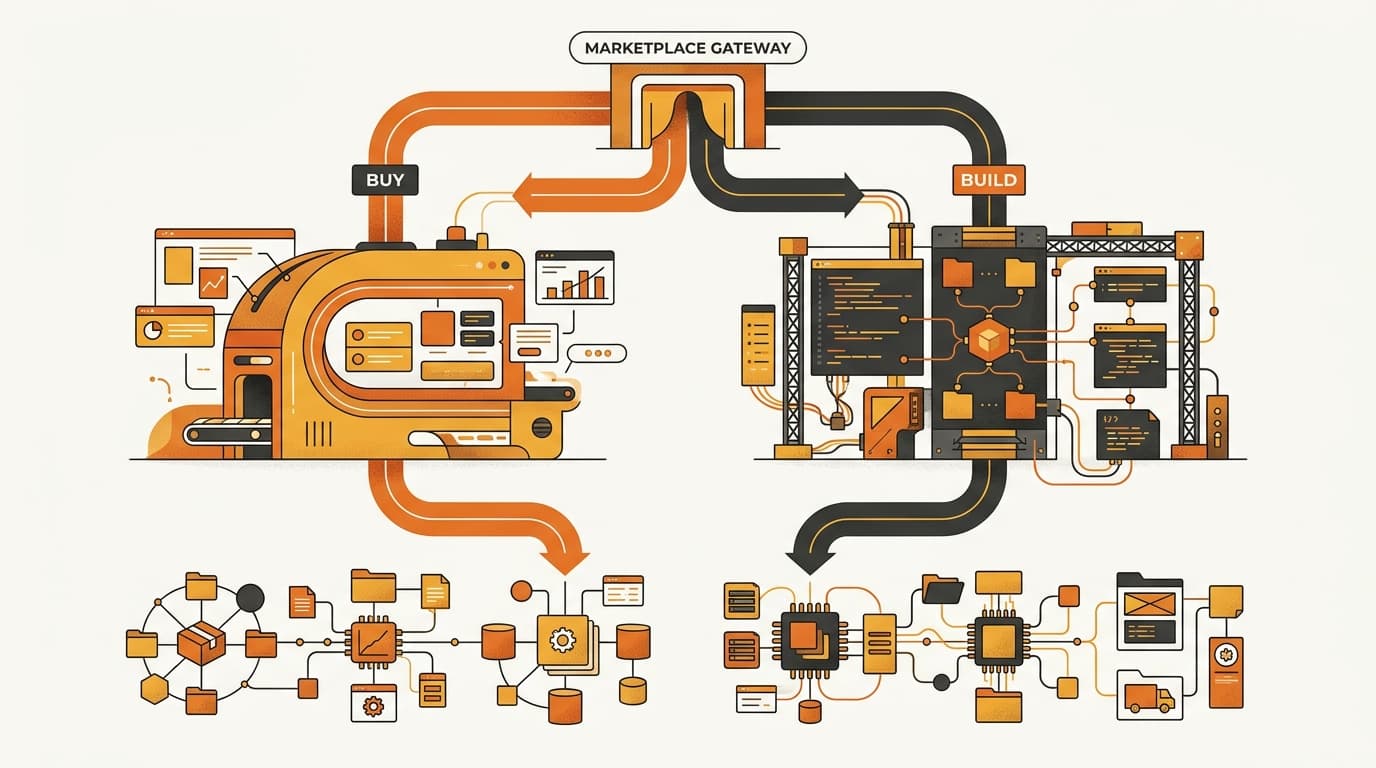
The buy path means choosing one seller tool or integration provider as the sole registered Coupang connection for the seller ID or vendor code. The ERP, warehouse platform, and finance system can remain in the stack, but they should receive data through the selected connector rather than registering separately with Coupang.
Use this sequence before authorizing the provider:
- Define the required flows. List the product, catalog, order, status, inventory, and settlement operations needed for the launch. Mark each as a read, write, or internal-only handoff.
- Confirm account scope. Ask the provider to confirm which seller ID or vendor code it will connect to and whether its registration model complies with Coupang’s one-key guidance.
- Check real coverage. Request a flow-by-flow answer, including the identifiers it supports and the operations it cannot perform. A product listing feature alone does not prove that order status, inventory, or settlement reconciliation is covered.
- Validate downstream interfaces. Confirm how the provider exposes data to the ERP, warehouse platform, and finance system. Review field mappings and update direction. Confirm how the provider reports and corrects failed or partial syncs.
- Assign authority. Decide which system owns catalog values, fulfillment status, stock decisions, and finance reconciliation. The provider should not become an accidental source of truth merely because it holds the Coupang connection.
- Document the exit path. Establish who can request or receive a replacement key, how mappings are exported, and how the current provider will be disconnected without losing operational history.
The buy path is workable only if the provider covers the complete operating flow or gives you a reliable interface for the missing parts. A seller tool that handles catalog changes but cannot expose settlement records to finance may satisfy a demo while failing the launch requirement.
Build: make one internal service the connector
Build means selecting one internal service as the only component that calls Coupang for that seller ID or vendor code. The ERP, warehouse platform, and custom scripts communicate with that service—not with Coupang directly.
That service needs clear ownership of more than the credential:
- Credential management: store the key securely, control access, and define how it is replaced or revoked.
- Identifier mapping: connect Coupang product, item, order, and status identifiers to internal SKUs, warehouse records, and finance records.
- Data routing: send the right records to the ERP, warehouse platform, finance system, or operations queue without requiring those systems to call Coupang directly.
- Monitoring: detect authentication failures, missed updates, rejected changes, duplicate records, and status mismatches.
- Reconciliation: compare the connector’s records with the relevant Coupang data and internal ledgers so that a silent sync failure cannot become an unexplained inventory or settlement gap.
- Change management: track changes to the integration and review Coupang’s current developer guidance when the platform or your operating model changes.
Separate the connector’s role from the role of the system of record. Your finance system may be authoritative for reconciliation, the warehouse platform may control physical stock, and the ERP may own the master product record. The custom connector translates and routes those decisions; it does not need to own every business record.
Build is the stronger choice when your data model or workflows do not fit a generic seller tool and you have a team prepared to maintain the integration. It also creates a long-term operational responsibility: your team owns the mappings, monitoring, recovery procedures, and future replacement work. The one-integration rule remains the same either way.
Why the tempting hybrid registration is not supported
A common proposal is to use a seller tool for routine operations and a custom connector for a missing function. That split still creates multiple direct registrations for the same seller ID or vendor code. The same applies when the ERP handles settlement and the seller tool handles products and orders.
| Proposed architecture | Direct Coupang registrations | Practical fit |
|---|---|---|
| ERP and seller tool both authenticate directly | Two | Not the supported one-connection pattern |
| Seller tool authenticates, then sends data to middleware and internal systems | One | Potentially workable if the tool’s interfaces support the required flows |
| A self-developed service authenticates, then routes data internally | One | Potentially workable if the service covers the required flows |
A practical design is to put custom logic behind the selected connector, provided that connector exposes the required interfaces. If the seller tool is the connector, use its supported exports or interfaces to feed your middleware, ERP, warehouse platform, and finance system. If the custom service is the connector, make it the deliberate replacement for the seller tool’s direct Coupang role rather than running both registrations in parallel.
This is a design decision, not a workaround to postpone until after launch. Choosing the seller tool first and discovering later that custom code cannot sit behind it can force a credential replacement, a data migration, and an operational cutover at the worst possible time.
Treat key replacement as a production cutover
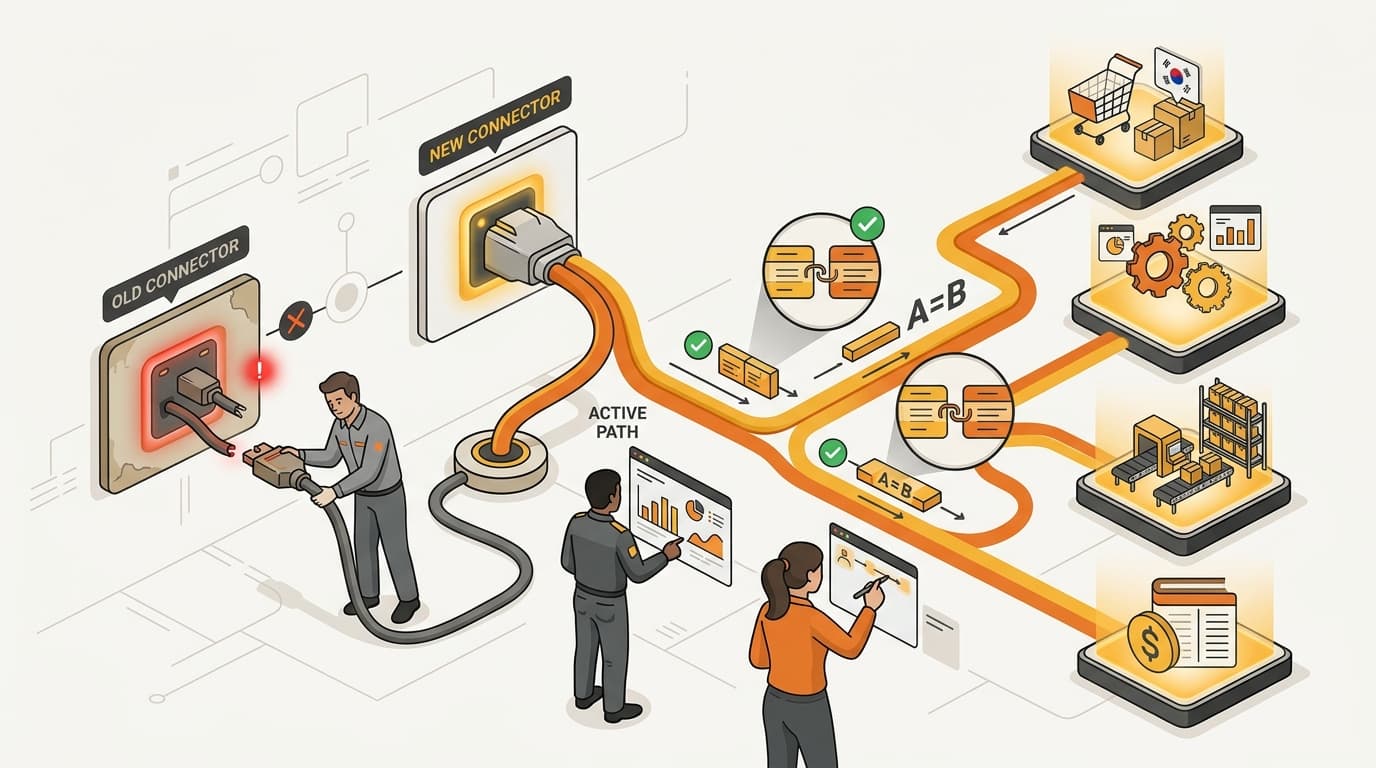
Reissuing a Coupang Open API key is not a harmless password refresh. Coupang’s official key-management guidance states that reissuing a key immediately disables the old one. The existing connector can therefore stop authenticating as soon as the replacement is issued. Plan the change as a production cutover.
Reissuing the key disables the old key immediately. Do not issue a replacement while assuming that the old provider and the new connector can continue running until a later handoff.
A controlled replacement plan should include these steps:
- Inventory the current connection. Record the seller ID or vendor code, current provider, key owner, data flows, schedules, mappings, and any internal systems that depend on the connector.
- Define the new authority model. Decide which connector will call Coupang and which system owns each product, order, inventory, and settlement decision. Remove ambiguity before credentials change.
- Prepare the new mapping and interfaces. Build or configure the downstream handoffs first. Preserve the non-secret configuration and document how the new connector will identify existing products, orders, inventory records, and settlement periods.
- Reconcile the last known state. Capture the latest successful sync point and compare open orders, status changes, inventory records, and outstanding settlement data. This gives you a baseline for detecting records missed during the handoff.
- Coordinate the credential change. If an integration provider is involved, agree in advance who will receive the new credential, how it will be entered securely, and when the provider will activate it. The brand should not assume that reissuing the key updates a provider automatically.
- Reissue, activate, and monitor. Issue the new key through the official process, activate the chosen connector, and watch for authentication errors, duplicate or missing records, rejected status changes, inventory discrepancies, and settlement mismatches. Reconcile again after the new connection has processed live activity.
Coupang’s official key-management guidance also matters when planning retirement. An expired key can be reissued, and a key can be deleted through WING before it expires. Neither lifecycle action creates a supported way to operate two separately registered integrations for the same seller account; they are controls for managing the chosen connection.
Common questions
Can my ERP and Coupang seller tool both use the same seller ID?
They can both receive relevant data, but they should not be registered as separate direct Coupang Open API integrations for the same seller ID or vendor code. Select one Coupang-facing connector and route the data internally.
Does the one-key rule mean only one internal system can use Coupang data?
No. The rule governs the direct Coupang connection. A connector can distribute data to multiple internal systems through supported exports, interfaces, or middleware.
Can I add custom code after buying a seller tool?
Yes, if the custom logic sits behind the selected Coupang connector and uses the interfaces that connector provides. Registering the custom code separately for the same seller account is the unsupported hybrid.
What happens if the current key expires?
Coupang’s official guidance says an expired key can be reissued. If a provider is using the key, coordinate the reissue and activation with that provider instead of treating it as an internal-only change.
What happens when we replace the provider?
Treat it as a production cutover. Reissuing the key immediately disables the old key, so you need a credential handoff, tested mappings, a reconciliation baseline, and live monitoring before switching ownership.
Before you choose, verify:
- Who owns the key for each seller ID or vendor code, and who can securely replace it?
- Which exact account scope is being connected, and are any other tools already registered against it?
- Which system is authoritative for product and catalog data, order status, inventory decisions, and settlement reconciliation?
- Which flows are read-only, which require write-back, and how will the connector expose each flow to the ERP, warehouse platform, and finance system?
- How will the team detect missed updates, rejected requests, duplicate records, authentication failures, and reconciliation differences?
- What is the exit plan if the connector is replaced—mapping export, credential coordination, historical data retention, and cutover ownership?
If those answers are not written down, the connector choice is not finished. The key is not only a credential; it determines which connector owns the operational path into Coupang.
Plan your Coupang integration before launch
Need to choose between a seller tool and a custom connector? Discuss your account map, data flows, and replacement plan with Kontactic.
About the author
Korean and global e-commerce operators with 15+ years of cross-border experience, led by CEO Isaac Lee — KOTRA-certified consultant and official lecturer for Seoul City and the Korea Customs Service. We run Korea market entry for Western brands every day; this blog documents what we learn in the field.
More about Kontactic →Related Articles
Coupang Order Lines: One Line Is Not One Unit
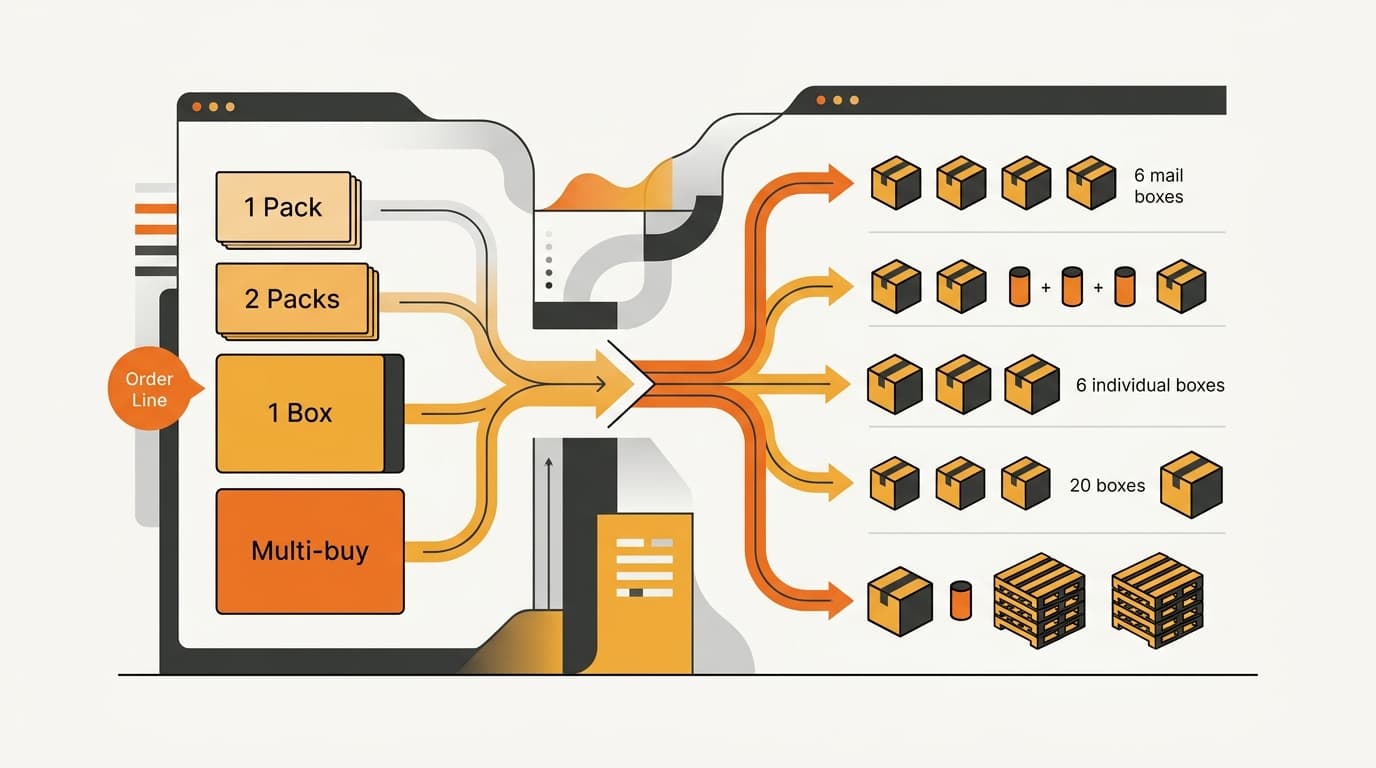
A Coupang order line can represent a generated quantity option, so your connector must map it to a base SKU and physical quantity before stock movement.
Korean Importer Registration: Why a POA Is Not Enough
A power of attorney cannot establish Korean importer registration; corporate-authority proof and Korean importer records are still required for the filing.
Can You Delay Korea Import Duty on Consignment Stock?
No. Korea import duty and import VAT are normally assessed when consignment stock is cleared for domestic circulation, not when a Korean customer buys one unit.