
Can Coupang Open API Put a New Listing Live in One Call? No
No. A Coupang Open API create or update call can send product data and ask Coupang to review it, but it cannot make a new listing live in one call. Coupang still has to approve the listing, and your software must check the listing status before treating it as sellable.
Consider a jacket with small, medium, and large options. Your connection creates the product and receives SUCCESS. That means Coupang accepted the API request. It does not mean the jacket page is live. If Coupang approves the small and medium options but rejects the large option, the listing is only partly approved. A person still needs to fix the large option before the full product is ready.
The practical rule: SUCCESS confirms that Coupang accepted a request. It does not confirm that Coupang approved the listing or put it on sale.
What the create or update call really does
Coupang's Open API separates three actions that software teams often combine in one screen:
- Send new product information or change an existing listing.
- Ask Coupang to review the listing.
- Check whether Coupang approved it.
The API can let the first two actions happen in one request. A create or update call can include requested=true. In plain English, that flag tells Coupang to save the product information and submit the listing for approval.
You can also save or update the listing first. When the listing is in temporary saved status, you can use the separate approval call to submit it. Temporary saved means the product is still a draft. It is not an active product page.
Neither choice skips Coupang's review. requested=true is a submission instruction, not an approval result. The separate approval call also asks Coupang to review the listing; it does not decide the result.
| API action | What it does | What your connection still needs to check |
|---|---|---|
Create or update with requested=true | Sends product data and asks Coupang to review it | Whether Coupang approved the listing and every sellable option |
Create or update without requested=true | Saves or changes the product information | Whether the draft is ready for a separate approval call |
| Separate approval call | Asks Coupang to review a listing in temporary saved status | The later approval status, not only the call response |
| Status check | Reads the listing's current state | Whether the result is approved, rejected, or partly approved |
The narrower question—whether Coupang Open API can upload product catalogs—covers only the data-transfer part. A catalog uploader can be useful and still stop before launch.

Why SUCCESS is not the same as approval
The reply from the API and the listing's status answer different questions.
SUCCESS answers: Did Coupang accept this API request?
The listing status answers: What happened to the product after Coupang processed it?
That difference matters because the API can accept a request before Coupang finishes reviewing the product. A connection that stops after seeing SUCCESS can show a draft as if it were already for sale.
Coupang describes a sequence from a saved draft to approval:
temporary savedmeans the product information is saved as a draft.approval requestedmeans the listing has been sent to Coupang for review.approval completemeans Coupang has completed the approval step before the product page is shown.
After submission, your connection should read the current listing status. It should not infer approval from the HTTP response or from the word SUCCESS alone.
The check must also look at the product's options. A listing can be approved, rejected, or partly approved. If only some sizes, colors, or other options are approved, the full listing is not ready. Your software should show which options passed and which need correction.
For example, a brand may submit one shoe listing with several sizes. Coupang can approve some size options and reject another because its product information does not match the submitted data. The listing may exist in the account, but the brand should not treat every size as available for sale. A person needs to correct the rejected option and submit it again.
Source to verify: Coupang's official Open API developer documentation covers product creation and update, approval requests, listing status, and deletion restrictions. Read those sections together. A third-party connector's success message cannot replace the official status result.

The build-versus-buy test for your Coupang connection
The useful question is not, “Can this software create a Coupang product?” It is, “Can this software take a product from draft to approved, show where it stopped, and stop selling when needed?”
Use this checklist when you build a connection or review a vendor's product demo:
- Map the brand item to the Coupang listing and its options. The connection should keep the brand's item linked to the correct Coupang product and option values. Check the mapping carefully; one Coupang product ID cannot cover every variant.
- Send the product data. The connection should create a new listing or update the existing product without hiding whether it is still a draft.
- Send the approval request. The connection should support
requested=trueor the separate approval call for a listing intemporary savedstatus. - Read the status after submission. It should show whether the listing is approved, rejected, or partly approved. A green API reply is not enough.
- Show option-level problems to a person. If one color, size, or other option fails, someone must be able to see the failed option, correct its product data, and send it for review again.
- Retry only after the listing is ready. If Coupang is still registering the product or changing its information, the connection should check the status instead of sending the same approval request repeatedly.
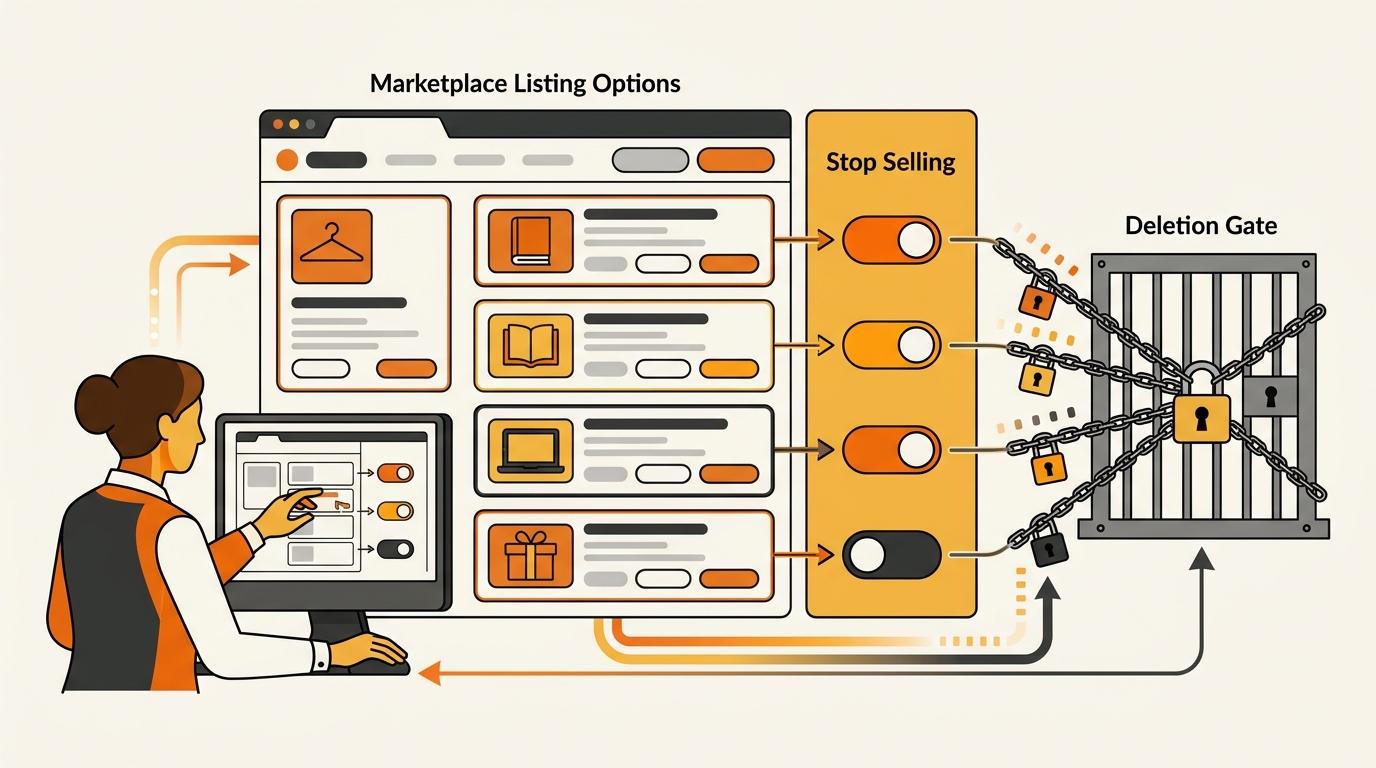
- Keep stop-selling separate from deletion. A connection should have a way to stop all sellable options and a manual path for listings that Coupang does not allow the API to delete yet.
This checklist changes what “automation” means. Sending catalog fields is only one part. A useful connection also tells a person what Coupang decided and what the person must fix.
A vendor that promises “one-click listing” should be able to answer five plain questions:
- After
SUCCESS, where can I see the actual listing status? - Can I see which options are only partly approved?
- Can a person correct rejected product data and submit it again?
- What does the software do when the listing is in the wrong status for approval?
- How does it stop sales if deletion is not available?
If the answer to all five is “someone checks Coupang manually,” the product may still help with data entry. It is not automating the full launch path.
Approval requests need status-aware retries
Do not treat approval as a call that succeeds if you repeat it often enough. Coupang can reject the request because the listing is in the wrong status while it is still registering or changing product information.
The safer sequence is simple:
- Send the create or update request.
- Check whether Coupang has finished registering or changing the product.
- If the listing is ready in
temporary savedstatus, send the approval request. - Read the approval result and separate approved, rejected, and partly approved options.
- Correct rejected data before trying again.
There is no fixed retry time in this explanation. The right time depends on whether Coupang has finished the earlier product action. Your software should check the status again after that action is complete, not fire repeated approval calls on a blind timer.
Suppose an operator changes a product option and immediately asks for approval. If Coupang is still processing that change, the approval request can fail because the listing is not yet in the required status. Sending the same request again immediately does not repair the product data. The connection should check the listing, wait until the update has finished, and then submit the approval request.
This also helps people read failures correctly. A wrong-status failure means the listing was not ready for that command. A rejected approval result means Coupang reviewed the listing and the product information needs correction. Those are different problems and should not go to the same automatic retry loop.
Deleting a listing is not an emergency off switch
Approval is not the only step that needs its own control. Deletion also depends on the listing's current status.
Coupang says a listing cannot be deleted in every status. It also requires all of the listing's sellable options to be stopped before deletion. That means a delete button cannot be your only emergency control.
A connection handling a bad or unwanted listing should do this:
- Use a separate stop-selling action for the listing's sellable options.
- Check whether the current status allows deletion.
- If deletion is not available, keep the listing stopped and send it to a person for the manual process.
- If deletion is allowed, remove the listing and confirm its later status.
The order matters. If a listing has several sizes or colors, stopping only the option with the visible problem may not satisfy Coupang's deletion condition. The connection must handle all sellable options before it asks to delete the listing.
For a brand, this is a practical safety test. Ask what happens when a listing contains wrong product information and the API cannot remove it immediately. A serious connection should stop sales first, explain that deletion is not yet available, and give a person a clear next action. It should not report “deleted” just because the delete request was accepted.
Common questions about putting a listing live through Open API
Can SUCCESS mean that the new product page is live?
No. It means Coupang accepted the API request. Check the listing status and the result for every option before treating the product as approved for sale.
Does requested=true approve the listing?
No. It asks Coupang to submit the listing for review after the create or update request. Coupang's approval decision still comes later.
When should I use the separate approval call?
Use it when the product has been saved or updated in temporary saved status and is ready for submission. The separate call sends the listing for review; it does not guarantee approval.
What should I do if only some options are approved?
Treat the listing as partly approved, not fully ready. Show the rejected or missing size, color, or other option to a person, correct its product data, and submit it again.
Should the connection retry an approval request until it works?
No. First check whether Coupang is still registering the product or changing its information. A request can fail because the listing is in the wrong status, so repeated calls can create more failures without fixing the cause.
Can I delete a listing to stop it immediately?
Not always. Coupang does not allow deletion in every status, and all sellable options must be stopped first. Your connection needs a separate stop-selling action and a manual path when deletion is unavailable.
What should a software vendor include when it promises Coupang listing automation?
Look for more than product upload. The connection should map items and options, submit approval, read the final status, show rejected and partly approved options, support human corrections, retry only after the listing is ready, and stop sales before deletion.
Check your Coupang launch connection
Want to test whether your Coupang integration handles approval, option-level status, retries, and stop-selling—not only catalog upload? Contact Kontactic for a practical review.
About the author
Korean and global e-commerce operators with 15+ years of cross-border experience, led by CEO Isaac Lee — KOTRA-certified consultant and official lecturer for Seoul City and the Korea Customs Service. We run Korea market entry for overseas brands every day; this blog records what we learn in the field.
Meet the Kontactic team →Related Articles

Can Coupang Assemble Your Bundle for Rocket Growth? No
Coupang Rocket Growth does not build bundles from loose pieces. Send each kit, multipack, or gift set as one labeled, ready-to-ship unit before inbound.

Korean Business Registration: Who Is the Importer?
A Korean business registration certificate does not make a partner the importer. Check the customs name, category rules, and product rules before shipping.

Add or Remove a Signatory From a Korean Bank Account
Learn how to change a Korean bank signatory: approve the request, prepare documents, attend the branch, update digital access, and check timing and fees.