
Korean Import Totals: Compare Supplier Payments
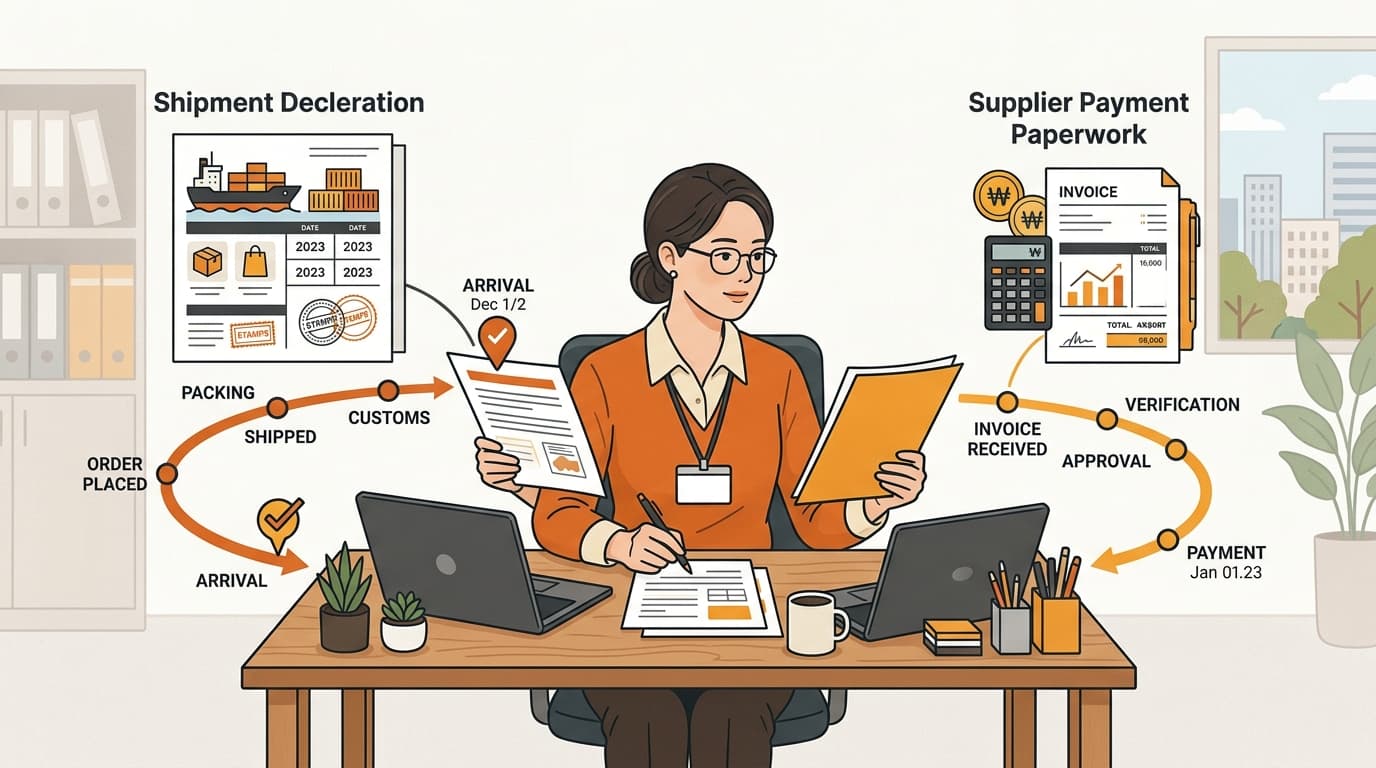
Kontactic Seller Center compares each seller’s running Korean import total with the running supplier-payment total for that seller. When the totals differ, the local team can check for a missing entry or a timing gap before closing the period.
This check covers import declarations and supplier payments. It is not a Coupang payout report. The check puts the import total and supplier-payment total side by side. The seller can see whether they match.
The check uses each seller’s running totals. It does not treat one shipment and one supplier payment as the whole answer.
Why sellers need both amounts in one view
A brand operating through a Korean entity can have two amounts that move at different times. The import declaration may be entered after a new shipment. The supplier payment may be sent later or may not appear in the supplier-payment total yet. Both amounts can be correct at that moment, while still looking different during a period review.
That creates one practical question: Is the difference a missing entry, or is one side simply later than the other?
Consider a new shipment. The import amount declared for the seller increases when the shipment is added. The cumulative supplier-payment amount remains lower because the payment is pending or was not included yet. The comparison shows the import total above the supplier-payment total.
That result does not say the payment failed. It tells the local team what to check before the period closes. The team checks three possibilities: the payment is pending, the payment was sent but left out, or another entry arrived later.
This helps when an overseas brand and its local operator handle different parts of the same Korean operation. One person may see the shipment declaration. Another may handle supplier payments. A running comparison gives them one seller-specific starting point for the review.
Without that starting point, the team can look at a single shipment and a single payment separately. That can make a normal timing gap look like an unexplained error. The cumulative comparison shows whether the seller’s totals are close or still need attention.
What Kontactic compares for each seller
Kontactic runs the check separately for each seller. It compares two cumulative amounts and shows the difference between them.
| Side of the check | What the team reviews | Why it matters |
|---|---|---|
| Korean import declarations | The cumulative amount declared for that seller | Shows the seller’s import total to date |
| Supplier payments | The cumulative amount sent to suppliers for that seller | Shows the supplier-payment total to date |
| Difference | The gap between those two totals | Gives the team a specific point to investigate |
Here, cumulative means the total grows as new entries are added. The team is not limited to the latest shipment or the latest payment. It can review the seller’s totals after several declarations and payments have been recorded.
The seller-by-seller view also matters when a brand has more than one seller in its Korean operation. A combined figure could hide which seller has the difference. A separate check points the team to the seller that needs review.
A difference is a review prompt. It is not an automatic finding that a payment or an import entry is wrong.

How to review a difference before a period closes
The comparison gives the local team a short, practical review to perform. The team can work through it in this order:
- Start with one seller. Keep the review tied to the seller shown by the comparison instead of mixing totals from different sellers.
- Read the current import total. This is the cumulative amount declared on Korean import declarations for that seller.
- Read the current supplier-payment total. This is the cumulative amount sent to suppliers for the same seller.
- Check which total is higher. The direction of the difference tells the team which side needs the first question.
- Review the newest entries. If the import total is higher, check whether the supplier payment is pending or was not included yet. If the supplier-payment total is higher, check whether the import entry was added later or is missing from the current total.
- Explain the difference before closing. If the entries arrived at different times, the team can identify a legitimate timing gap. If an entry is missing, the team knows what needs further attention.
The team can ask one direct question: Which entry explains this seller’s difference?
What this comparison does and does not tell you
The comparison does not explain the cause on its own. A difference can come from a pending payment, a payment that was not included yet, or another entry posted at a different time. The team still needs to check the relevant entry and decide whether the difference is a timing gap or a missing item.
It does not match each import declaration to one supplier payment. The feature looks at cumulative totals over time. The team can see both running totals in one place instead of comparing separate declarations and payments from memory.
This is not a comparison of Coupang sales or Coupang payouts. It answers a different question: Do the seller’s import total and supplier-payment total match? If not, which entry should the local team investigate?

Common questions
Does Kontactic compare each seller separately?
The check runs separately for each seller. The team can review the seller with the difference instead of combining all sellers.
Does a difference mean a supplier payment is missing?
No. It may be a timing gap. Check the payment and import entries before treating it as a missing item.
Why use cumulative totals instead of checking one shipment?
They show the seller’s total as declarations and payments build over time. One shipment and one payment can arrive at different times.
What happens when the import total is higher after a new shipment?
The team checks the supplier-payment entries and their posting times. The comparison shows the gap but does not decide the reason.
Is this the same as checking a Coupang payout?
No. It compares Korean import declarations with amounts sent to suppliers, not Coupang sales or payouts.
Review your Korean import and supplier-payment totals
If you want to discuss how this Seller Center check fits your Korean operation, contact Kontactic and tell us which seller totals you need to review.
About the author
Korean and global e-commerce operators with 15+ years of cross-border experience, led by CEO Isaac Lee — KOTRA-certified consultant and official lecturer for Seoul City and the Korea Customs Service. We run Korea market entry for overseas brands every day; this blog records what we learn in the field.
Meet the Kontactic team →Related Articles

Korean Business Registration: How Kontactic Checks
Kontactic checks your Korean business registration certificate against the prepared address and representative, then keeps the setup open if either value differs.

Does My Korean Importer Need a License for This Product?
A Korean importer may need a license or permit even when product documents are complete. Seller Center separates the two checks and lists what to prepare next.
Import a Product Into Korea, But Can't Sell on Coupang?
Importing a product into Korea does not guarantee Coupang sales. Learn how SKU review separates import permission, online-sale rules, and importer permits.